Horde 2 Winter: Game Guide and Overview
Horde 2 Winter is listed as a slot title on wj2. To decide whether it fits your plans, start with its current instructions, understand the controls and costs, and set a time and spending limit.
In short: use the live game's information panel as the authority on its rules, and only continue when the actions and your personal limits are clear. A Horde 2 Winter Demo, if available, can help you learn the interface, not predict a later result.
Other slot listings near Horde 2 Winter
These compact related entries offer other slot titles to browse. Only Gummy Giga Match has a linked detail page among the listed options; the remaining game cards are promotional routes. Check each title's own instructions instead of assuming its mechanics match Horde 2 Winter.




What to expect from Horde 2 Winter
Horde 2 Winter is a slot listing, but the exact round rules and feature behavior should be confirmed in the game itself. The title and category tell visitors what they are browsing, but they do not verify reel layout, symbol meanings, bonus triggers, volatility, or a return rate. Use the on-screen information panel rather than guessing from the name or artwork.
Before starting, look for the help, rules, or paytable control. Read how a spin is started and settled, what each displayed setting means, and whether an optional feature changes the selected amount. If the panel does not answer a question, pause and seek clarification before confirming an action.
A Horde 2 Winter Demo may be presented as a way to inspect the interface. When available, use it to locate controls and read information without treating its results as evidence about future paid rounds. Demo access and settings can vary, so check what the current game screen actually offers.
The game artwork is a useful way to recognize the title in the lobby, not proof of specific mechanics. A wj2 slot category may help with browsing, but category placement does not determine how a particular title works. Confirm all game-specific details in its active information panel.
Keep a clear distinction between what is confirmed and what remains unknown: the listing supplies the game name, its slot classification, and its icon; current rules, stake range, feature conditions, and any return data must be verified in the game before you decide.
How to approach a Horde 2 Winter session
Read the instructions first, verify each cost before confirming, and stop at a limit you chose in advance. This simple sequence keeps your choices deliberate while leaving the exact game mechanics to the current version's own rules.
For a separate title with a different category context, the Color Game listing can be reviewed independently. Its information should not be used to infer the rules of Horde 2 Winter.
Before any wj2 online casino session, check eligibility and current platform terms through the official navigation. Keep promotions optional and separate from the budget you decided on in advance.
Common questions about Horde 2 Winter
For account and platform context, consult Wj2 Earn Money and check its current terms directly. General account guidance does not change what is shown in the game.
Personal milestones for Horde 2 Winter
The most useful milestones are personal checkpoints for clarity and wellbeing, not invented rewards. No verified badge names, unlocks, or achievement schedule are supplied for Horde 2 Winter here. If the live screen shows a progress indicator, read what it measures and what conditions apply before acting on it.
Time check
Pause at a chosen time and decide whether to close the session.
Budget review
Compare your remaining entertainment budget with the limit you set.
Rules understood
Make sure the current controls and displayed costs are still clear.
Break taken
Step away if you feel rushed, distracted, or uncertain.
A counter, animation, or visual marker may describe an interface state without promising a feature or prize. A Horde 2 Winter Demo, if offered, may help you locate such information, but its outcomes cannot establish what a paid session will do. Treat every unverified claim as unknown.
Let your own checkpoint be a reason to pause rather than an incentive to continue. Do not increase the stake to fill a meter or extend play after reaching your planned end time.
Artwork and screen details for Horde 2 Winter
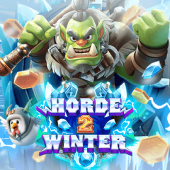
The available local image identifies the title; it is not a verified screenshot of live gameplay. This page uses the catalog icon for Horde 2 Winter and does not present it as a captured game screen. Live layouts, controls, symbols, and effects should be observed in the active game and confirmed against its own instructions.
Check your display
In the game, verify that labels and controls are readable on your device.
When you open the listing, let the interface finish loading before touching a control. Locate the information area, confirm any visible amount, and make sure the mode is clear. If the screen clips important text or hides a setting, stop and use another supported view rather than making a guess.
Visual themes can make a title recognizable, but they cannot establish a reel arrangement, feature trigger, or payout. The active screen is the appropriate place to observe what is actually offered. Never interpret artwork or animation as a signal about a future result.
Visitors comparing another slot page may browse Popmart separately. Its imagery and information belong to that listing and do not serve as a screenshot or explanation of Horde 2 Winter.
If Horde 2 Winter is unclear or not loading
If the game does not load or an instruction is unclear, pause without confirming an action and check the listing or platform guidance. Do not repeatedly tap, assume a wager was not placed, or make a second selection until the screen state and any relevant transaction information are clear.
First allow the page to finish responding and look for an on-screen message. If the display remains incomplete, close the game view safely and use ordinary site navigation to reach current help information. Avoid installing files or following unofficial links simply to solve a loading issue.
If a Horde 2 Winter Demo option appears, it may help identify controls before choosing whether to participate, but availability can differ between devices or sessions. The word “demo” should not be treated as a guarantee of identical conditions. Recheck the active mode and all amounts before continuing.
When accessing wj2 login, use the platform's normal route and verify the page context before entering account information. Read current site terms and safeguards; this guide does not establish account, licensing, or payment claims. If you cannot confirm what an action will do, do not proceed.
A wj2 online casino listing is a route to a catalog entry, not a substitute for current game rules. Keep a fixed budget, do not use borrowed or essential funds, and stop if play no longer feels recreational. Play only where legally permitted and if you meet the applicable age requirement.
A considered next step with Horde 2 Winter
Choose whether to open the listing only when the game information is clear and the session fits your boundaries. Confirm the current rules, identify the displayed cost of an action, and decide in advance how long you will spend. If these checks do not feel satisfactory, leaving the game unopened is a sound option.
Nothing on this page promises a win, jackpot, or particular feature. A Horde 2 Winter Demo, when available, is for interface familiarity; it does not forecast future outcomes. Verify any terms and settings on the active game screen and keep promotions separate from your entertainment plan.
Stop at the time or budget limit you chose, whatever the previous result. If you feel pressured to chase a loss or continue beyond your plan, step away and seek appropriate local support if needed. Participation should be legal in your location and restricted to those who meet the required age.